
Pickleball for Schools Program
The PA Schools Program provides a guide for introducing pickleball and developing the skills of students. The quick success that can be achieved by students of all ages and abilities and allows for pickleball to be taught using a combination of techniques including but not exclusive to Teaching Games for Understanding, Skills acquisition, a Constraints Led Approach, or Play-Practice-Play.
The following document provides a simple scope and sequence for introduction of pickleball skills alongside a range of games and activities which can be utilised as student understanding of pickleball and their desire to improve grows. It is the fun of pickleball, even at the earliest learning stage irrespective of age and skill level, which has resulted in the growth of this sport.
The PA Schools Program provides a guide for introducing pickleball and developing the skills of students. The quick success that can be achieved by students of all ages and abilities and allows for pickleball to be taught using a combination of techniques including but not exclusive to Teaching Games for Understanding, Skills acquisition, a Constraints Led Approach, or Play-Practice-Play.
The following document provides a simple scope and sequence for introduction of pickleball skills alongside a range of games and activities which can be utilised as student understanding of pickleball and their desire to improve grows. It is the fun of pickleball, even at the earliest learning stage irrespective of age and skill level, which has resulted in the growth of this sport.
Privacy Disclaimer
Pickleball Australia respects your privacy. The information you provide will only be used to send you access to the Pickleball for Schools Program Document and to better understand who is accessing our resources. We will not share your personal information with third parties without your consent. For more details, please refer to our Privacy Policy.
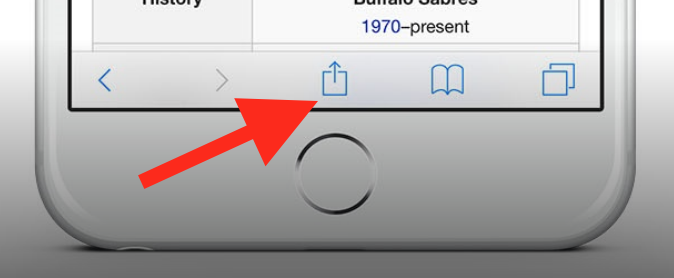
To add this web app to your homescreen, click on the "Share" icon
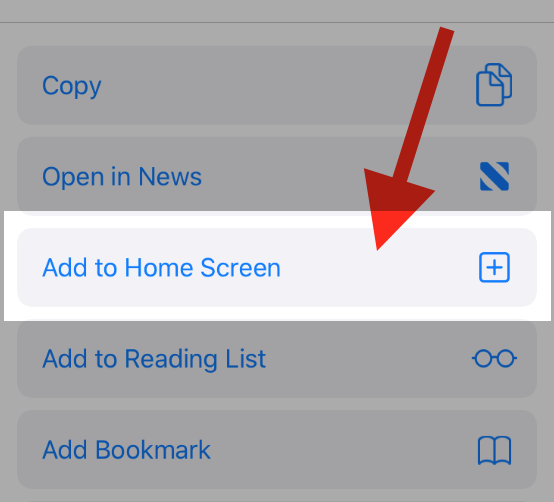
Then click on "Add to Home"
To add this web app to your homescreen, click on the "Share" icon
Then click on "Add to Home"
It looks like your browser doesn't natively support "Add To Homescreen", or you have disabled it (or maybe you have already added this web app to your applications?)
In any case, please check your browser options and information, thanks!
It looks like your browser doesn't natively support "Add To Homescreen", or you have disabled it (or maybe you have already added this web app to your applications?)
In any case, please check your browser options and information, thanks!